Android Closed Beta

Fair Baseball & Softball Lineups. Built for Youth Coaches.

Help test Coach Joel's Way on Android before the public launch. Joining takes two Google steps, and we show you exactly what to do.

See the 2 steps
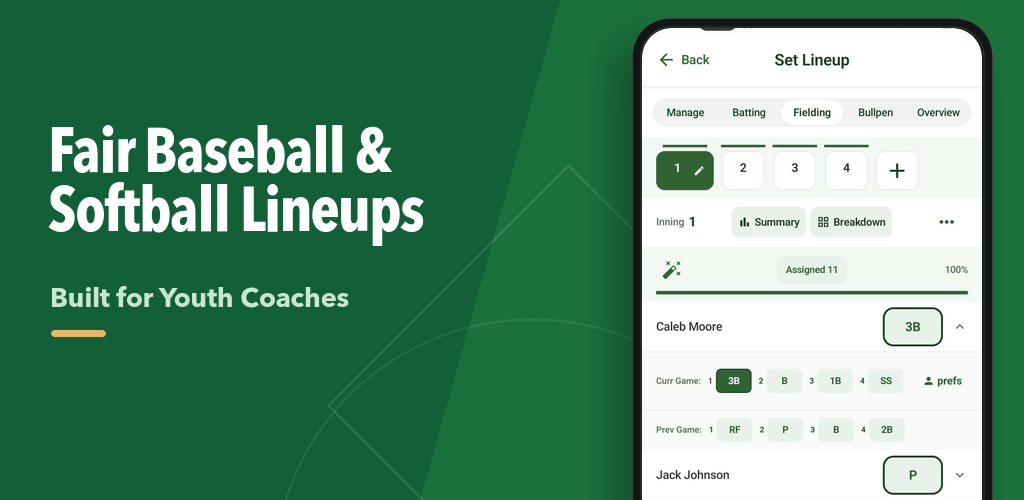
Coach Joel's Way Android fielding lineup screen with inning controls and player position assignments
Build fielding assignments inning by inning, then check the lineup before the first pitch.

Join the group. Then become a tester.

Step 1 gives your Google account permission to access the closed beta. Step 2 activates that access in Google Play.

Step 1 of 2

Join the Coach Joel's Way beta group

This Google Group grants your account access to the closed beta. It is not a marketing email list.

1. Join the Google Group
After Google confirms you joined, return here for Step 2.
On the Google Group page

Select “Join group”

Confirm the Google profile shown in the upper-right is the account you want to use for beta testing, then select Join group.

Coach Joel's Way Android Beta Google Group with the Join group button highlighted by its position in the upper-right
Look for “Join group” in the upper-right of the Google Group page.
In the join window

Use the quiet membership settings

You only need group membership for beta access. These settings avoid optional Group email and profile sharing.

  • Set Subscription: No email.
  • Leave Link to my Google account profile unchecked.
  • Leave conversation email updates unchecked, then select Join group.
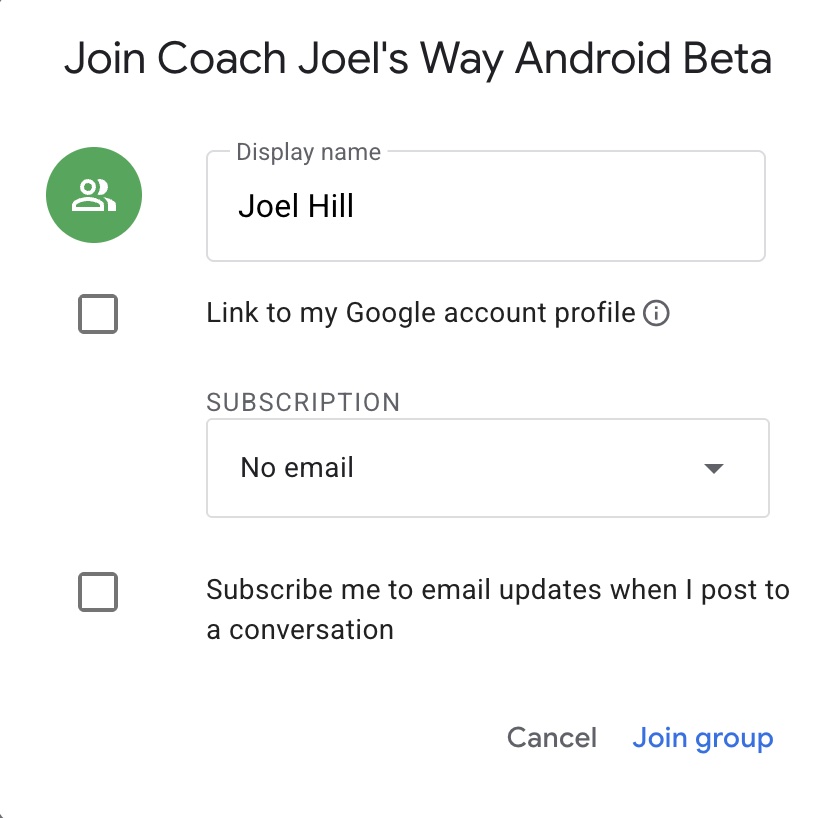
Google Group join window with No email selected and optional profile and conversation email checkboxes left unchecked
Recommended settings: No email and both optional checkboxes left unchecked.
Step 2 of 2

Become a tester on Google Play

Open the closed-beta Play page with the same Google account that joined the Group, then activate your tester access.

2. Become a Tester on Google Play
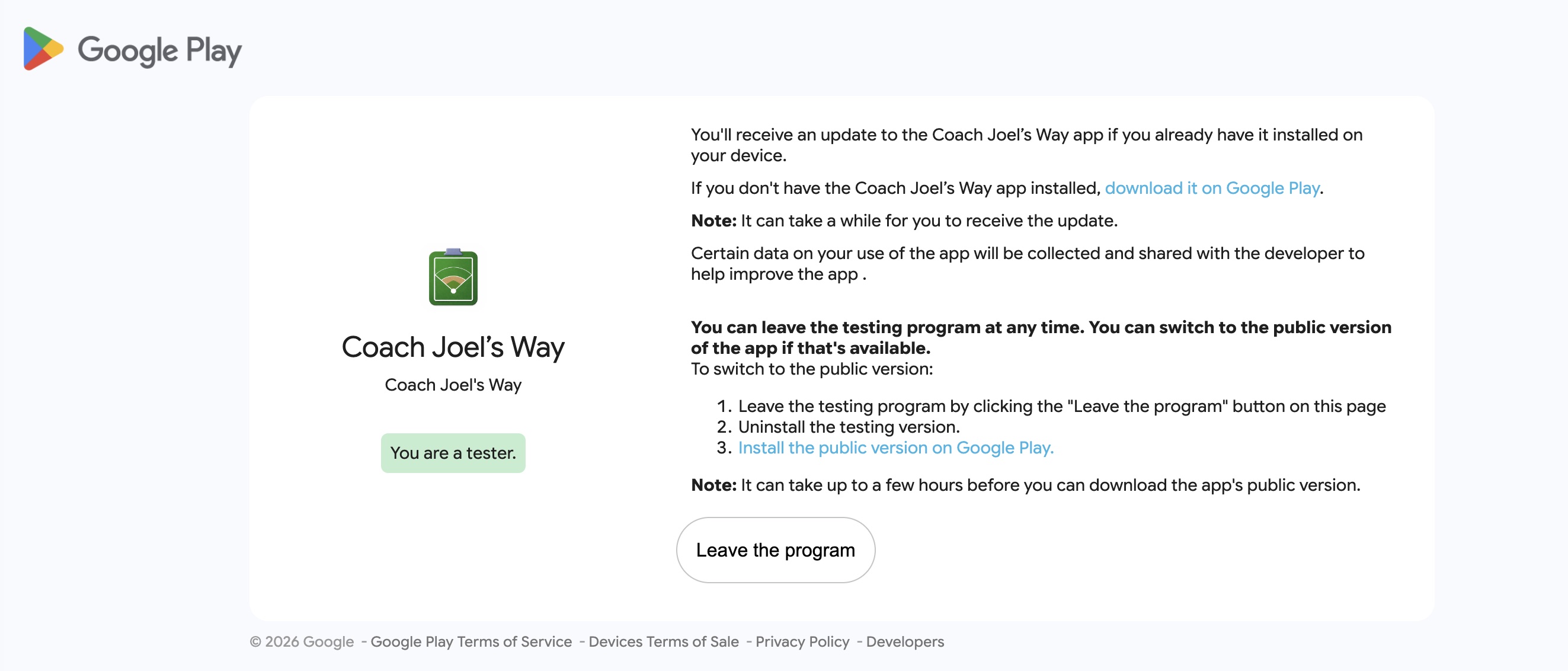
Success is confirmed when Google Play says “You are a tester.”
On the Google Play tester page

Activate access, then install

Select Become a tester if Google asks. When the page shows the green “You are a tester” message, select download it on Google Play to open the app listing and install it.

Google Play Coach Joel's Way beta page showing the green You are a tester confirmation and download it on Google Play link
Tester access is active when the green “You are a tester” confirmation appears.
After Step 2: install the app Select the Google Play download link and install the beta on a compatible Android device.
Build batting orders and fielding assignments by inning.
Check fairness and playing-time balance before the first pitch.
Manage rosters, schedules, staff, and game-day lineup cards.

This is a closed beta. Google requires both group membership and a separate Play Store opt-in before installation.